
MizMap
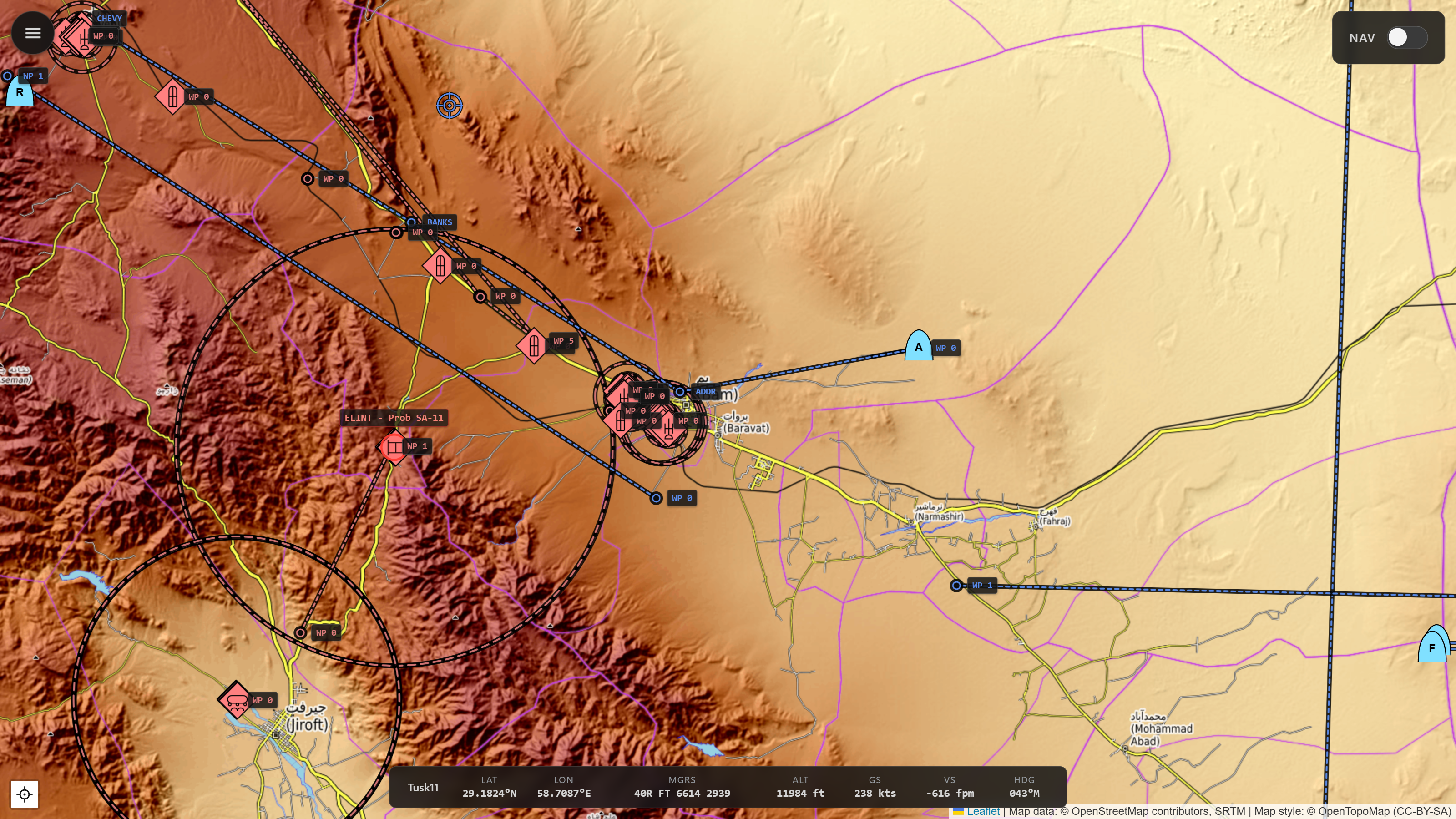
A live map viewer for DCS World with full-featured visibility controls.
Use from a browser on the DCS PC or any device on the same network.
// Why
MizMap is built for free flight, self-training, and mission designers testing their own work.
DCS's in-game F10 map enforces whatever visibility options the mission designer baked in. MizMap doesn't. It reads the mission state directly from DCS-gRPC and renders it on a real-world map - topographic, street, or satellite - and you toggle the layers: coalitions, unit types, threat rings, flight plans, airfields, navaids, F10 marks, trails - all client-side, under your control.
Not recommended for single player campaigns that deliberately limit the map - you'd be working around the designer's intent. Also, it's not a multiplayer tool: ethically off-limits, and technically blocked by the security flags any sane server has set. These are all scenarios already well served by Bergison's DCS MovingMap.
// Features
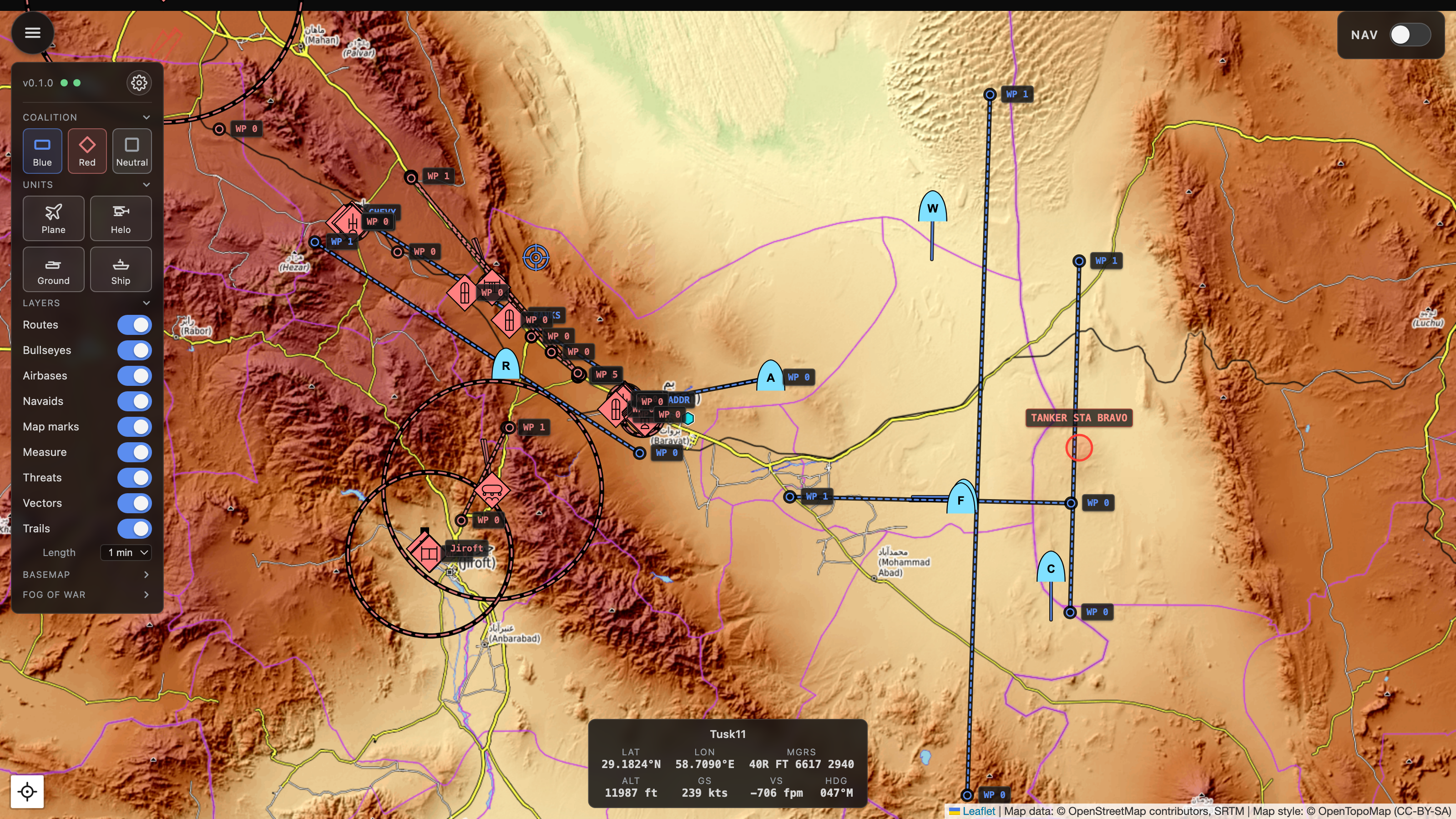
Pick what's visible
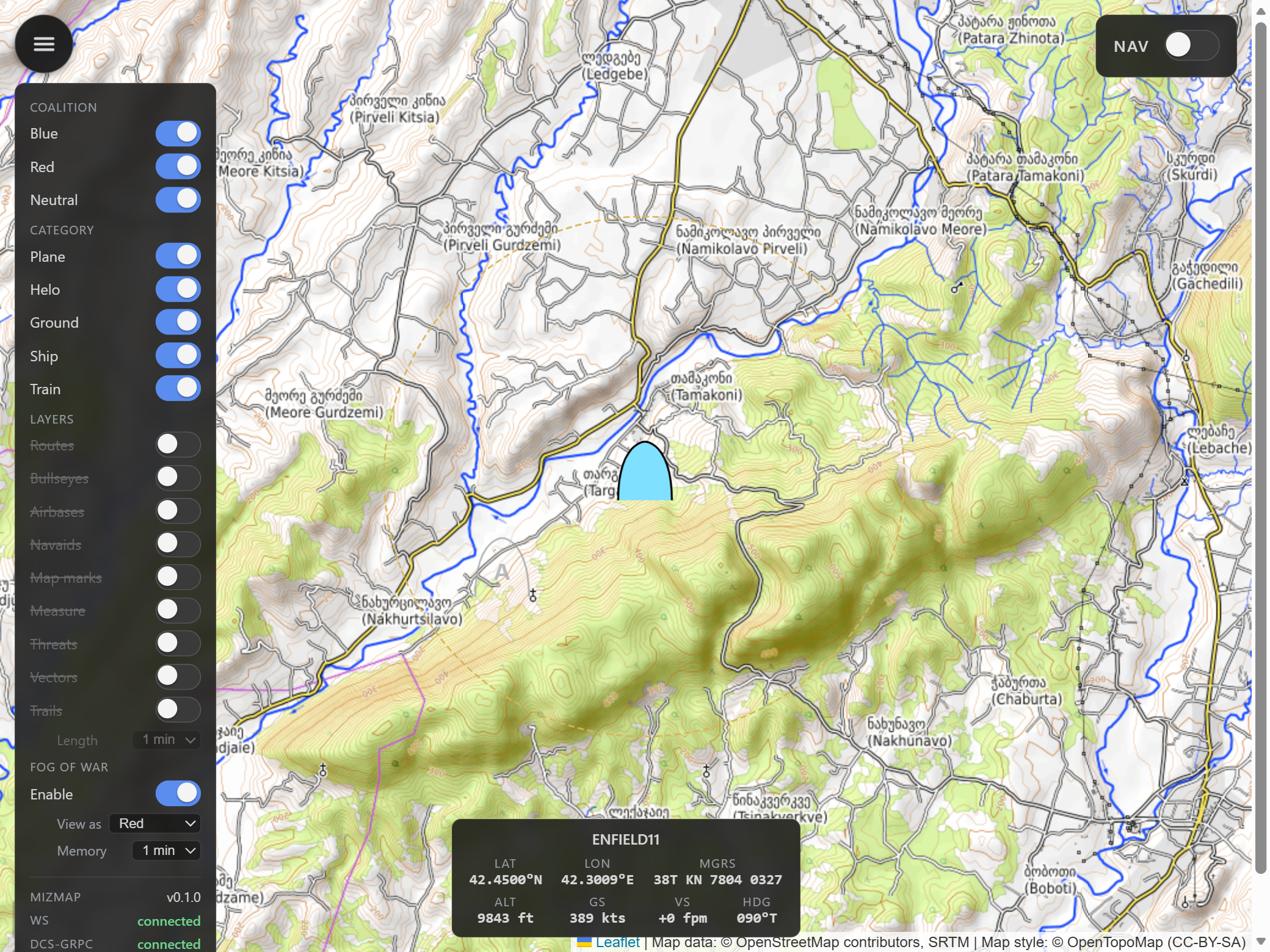
The filter panel has toggle chips for coalitions (Blue/Red/Neutral) and unit types (Plane, Helo, Ground, Ship), then a stack of per-layer switches - routes, bullseyes, airfields, navaids, F10 marks, the ruler, threat rings, movement vectors, and motion trails - in collapsible sections, with the basemap picker and fog lens tucked alongside. Filter choices persist in the URL, so a view is bookmarkable and survives reloads.
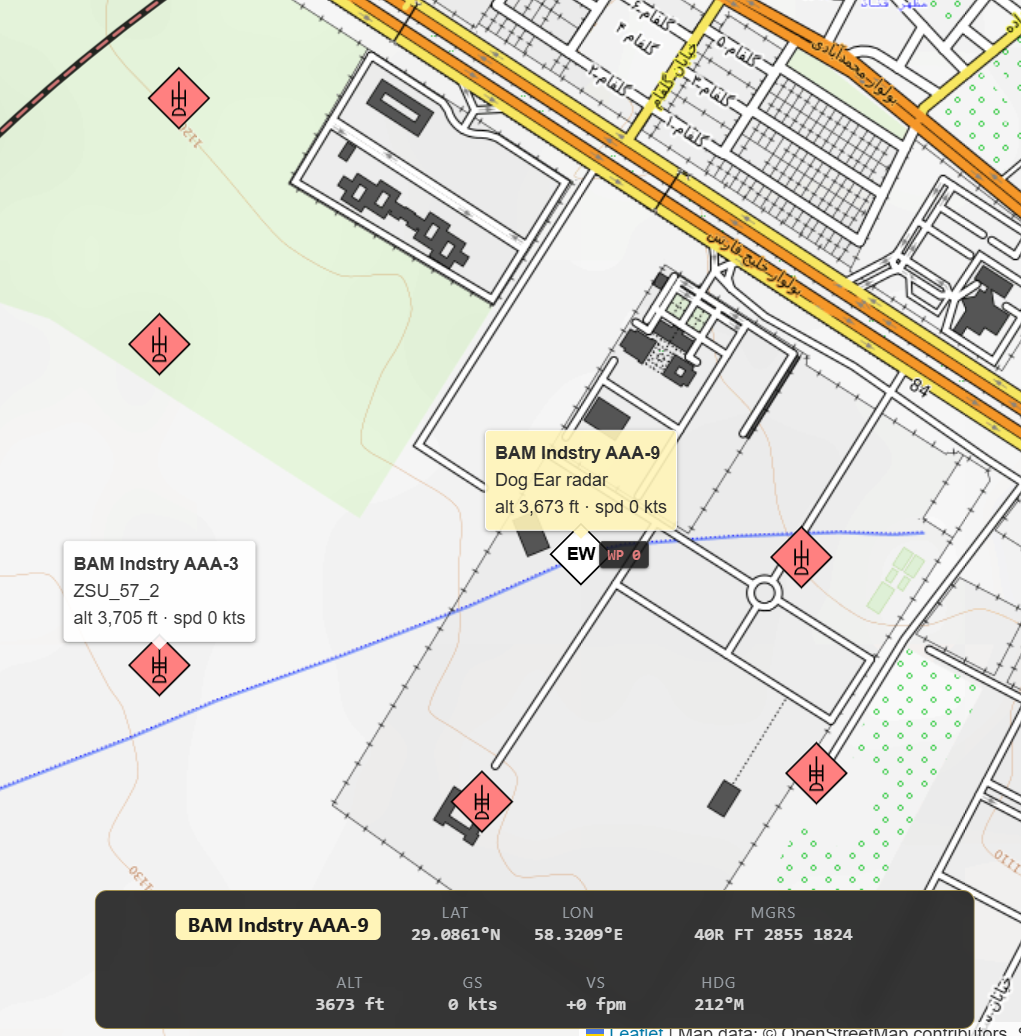
MIL-STD-2525C symbology
Proper SIDC symbology (via milsymbol.js) with per-DCS-type refinement
(a Hornet shows as a strike fighter, an SA-10 as the right SAM family). Hover any unit
for its callsign and DCS type; click to pin the tooltip in place.
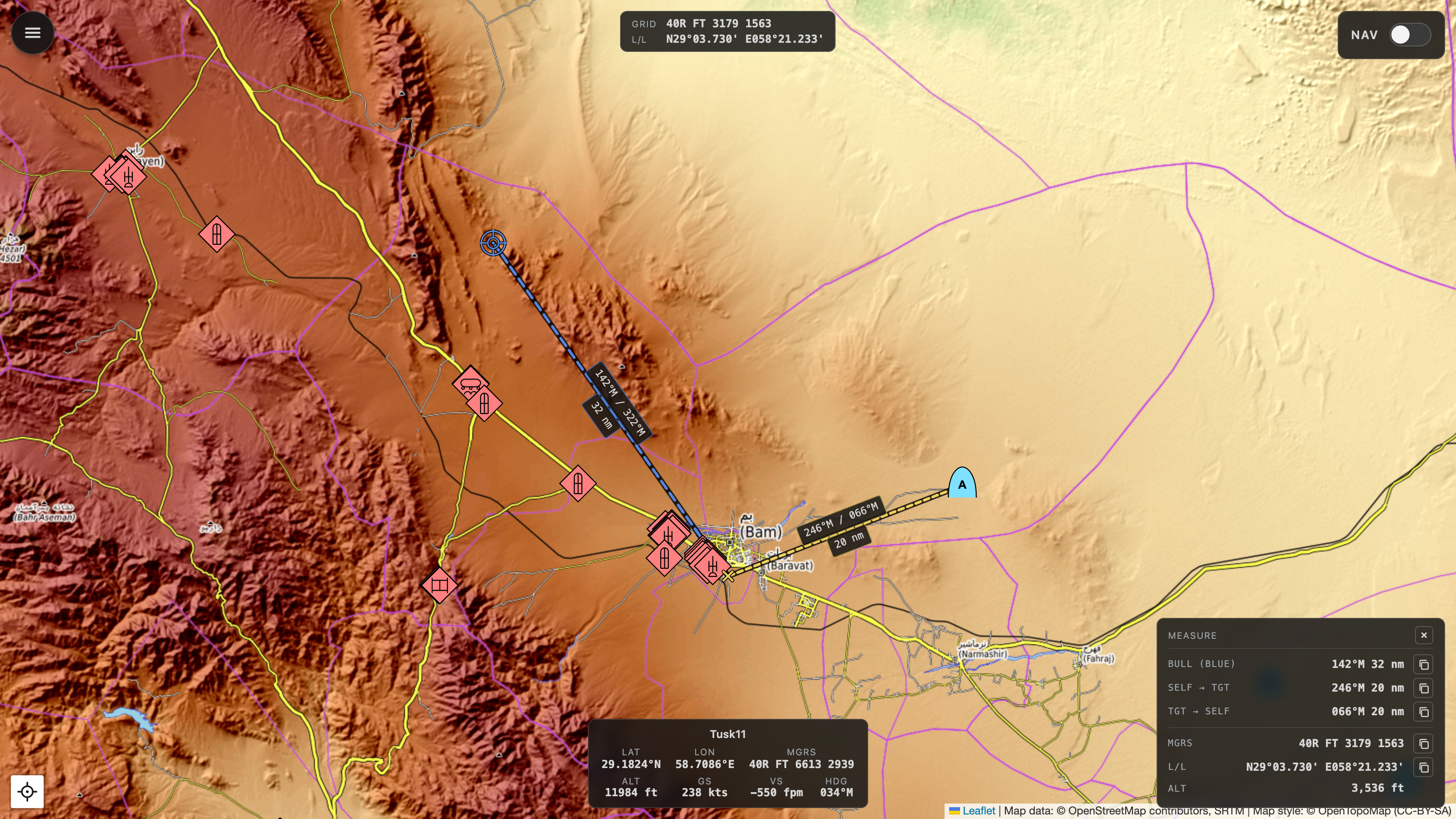
Telemetry HUD
Own-ship strip: lat/lon, MGRS, altitude, ground and vertical speed, magnetic heading. Auto-detects the player slot; click any other unit to redirect the HUD.

BRA ruler
Middle-click anywhere to start a live ruler that tracks your cursor; click again to lock it. Read magnetic bearing and slant range both ways - plus bearing from bullseye - alongside the target's MGRS, lat/long, and true DCS terrain elevation (straight from DCS, not a tile heightmap). One-tap copy for each measurement.
Flight plan + F10 marks
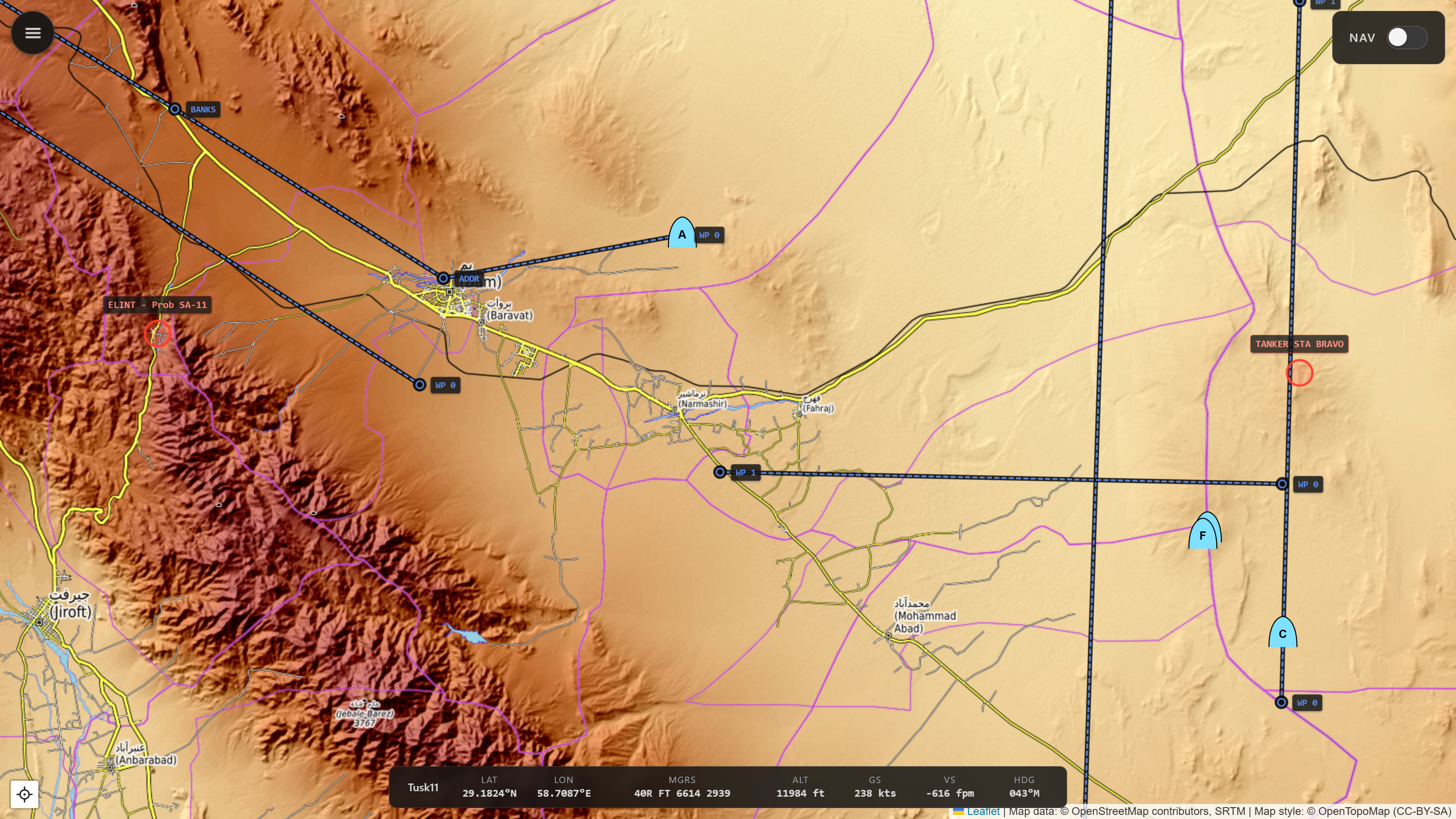
Flight plan and waypoints render as polylines with always-on labels, pulled from the live mission. F10 marks you drop in DCS appear on the map too - filtered by your own coalition and group.
Airfields, runways & navaids
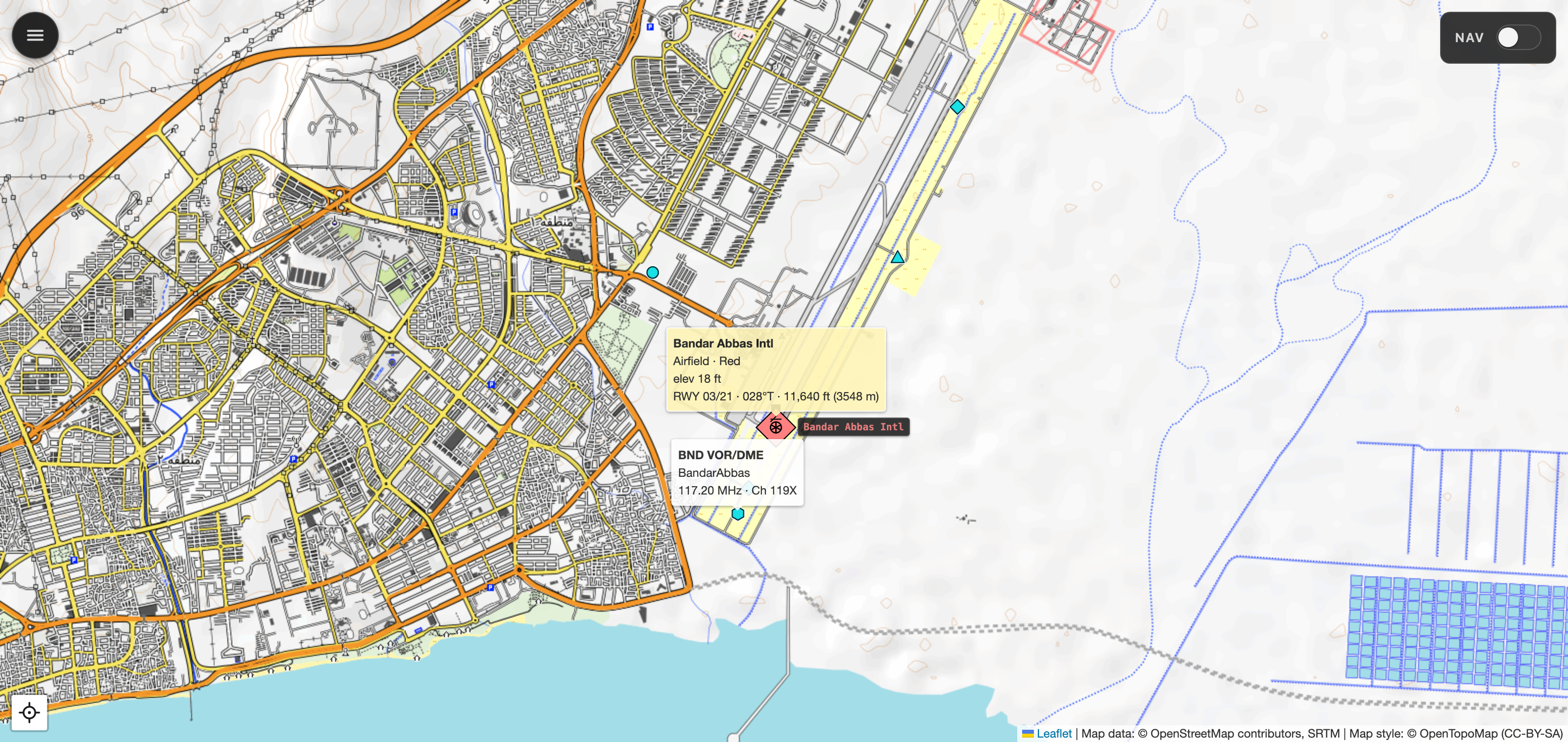
Airfields and FARPs as MIL-STD-2525C installation symbols, each runway as a true-heading overlay, and the theatre's navaids - VOR, DME, TACAN, NDB, ILS - as colour-coded glyphs. Hover an airfield for its runways, or a navaid for its callsign, frequency, and channel.
SAM & AAA threat rings
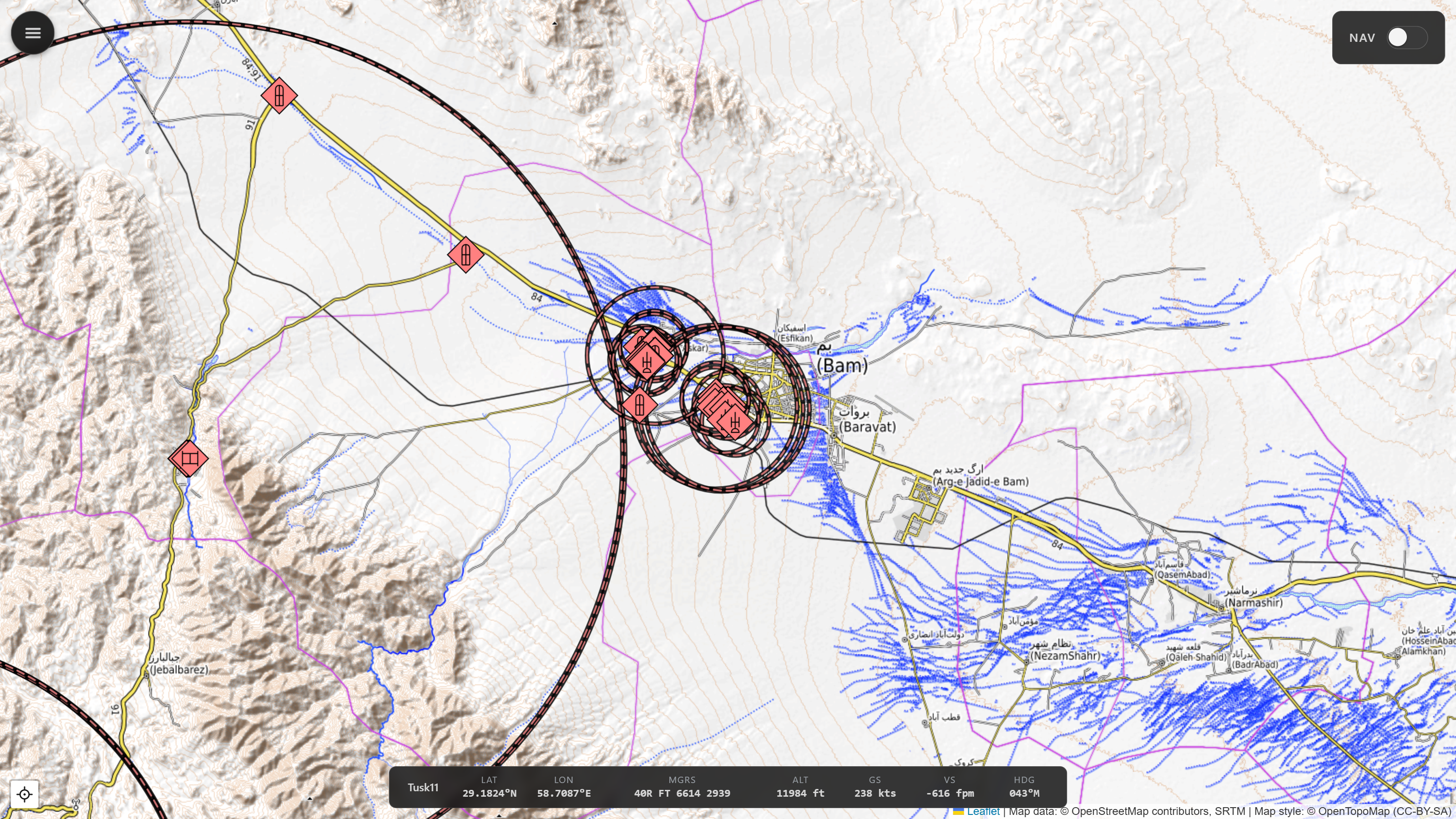
Max engagement ranges for known SAM and AAA systems, drawn live around each site as units move.
Navigation mode
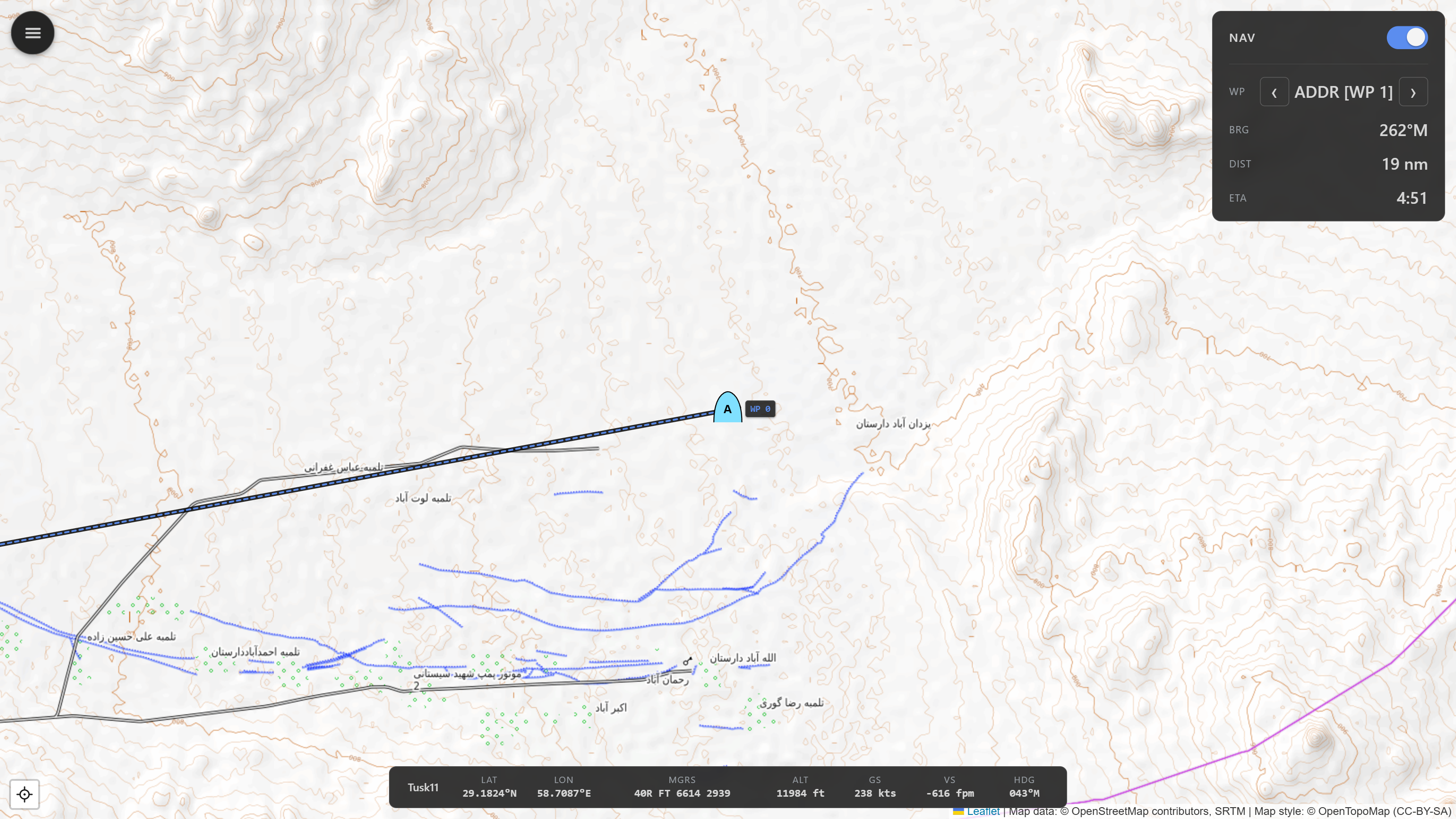
NAV toggle for flight plan controls with map centered on own-ship, and info on bearing (magnetic), distance, and ETA at current speed.
Fog-of-war preview
Built for mission designers. Flip on the fog-of-war lens and the map stops being god's-eye - it shows only what a chosen side would actually see in DCS's F10 view. MizMap unions each coalition's live sensor detection and hides everything its sensors haven't found, so you can confirm an ambush stays hidden or that your AWACS reveals the right picture. Unclassified contacts drop to a bare affiliation frame, unranged ones get a dashed uncertainty ring, and lost contacts linger as fading "last-known" ghosts.
Movement vectors & trails
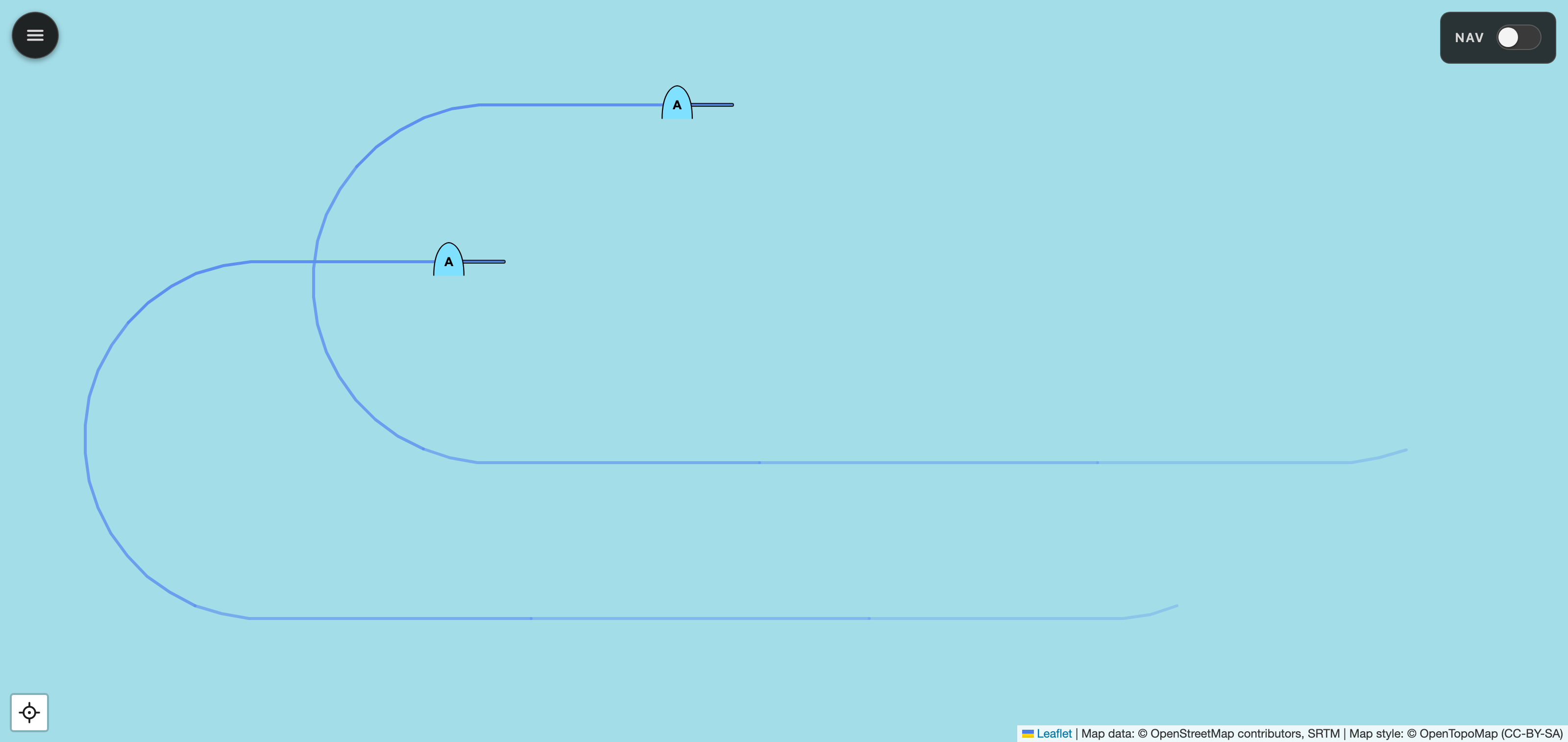
Moving units carry a direction-vector stub and a fading trail. Set the trail from 15 seconds to 5 minutes, so a fast-mover's recent track (here, a pair of Hornets in a racetrack orbit) reads instantly: where it's going, and where it's been.
- Selectable basemap. Topographic, street, or satellite imagery.
- Cursor coordinate readout. Live MGRS and lat/long under the pointer, and always a tap away in the measure panel.
- In-app settings. No config files to hand-edit - a config menu points MizMap at DCS and DCS-gRPC and sets the web port and LAN bind address.
- Local tile cache. Works offline once warm. No more tile-server rate-limit surprises.
- LAN-friendly. Open the viewer from any browser on the same network - phone, tablet, second PC.
- Responsive kneeboard layout. View and controls adapt to tablet or phone screens.
// Install
-
Install DCS-gRPC rust-server
Drop the Hooks DLL into your DCS install and enable
evalEnabled = trueinSaved Games/DCS/Config/dcs-grpc.lua. Project page ↗ -
Grab the installer
Download
mizmap-setup-<version>.exefrom the latest GitHub release and run it. MizMap installs per-user under%LOCALAPPDATA%\Programs\MizMap\- no admin needed.The installer is unsigned, so SmartScreen shows an "unknown publisher" warning the first time. Click More info → Run anyway. Uncomfortable with this? Read the code and run from source or build locally - see below.
-
Launch MizMap
Start MizMap from the Start menu. A tray icon appears and the viewer opens in your default browser. Load any single-player mission in DCS and units start streaming.
-
Open from anywhere on the LAN
Point any browser, local or on the same network, at
http://<dcs-pc-ip>:8766. Use it kneeboard-like from a tablet or a second monitor.
Prefer to run from source?
uv sync, ./scripts/regen_protos.sh,
uv run mizmap serve. Full instructions in the
README.
// Architecture
DCS-gRPC streams unit and event data over a local socket. A Python backend (FastAPI + async gRPC) maintains the in-memory mission state and fans it out to browsers over a WebSocket. The viewer is vanilla JS + Leaflet with MIL-STD-2525C symbology - no frontend build step required.
DCS World (Windows)
   │
   ├── DCS-gRPC rust-server (Hooks DLL)  ── gRPC :50051
   │
   ▼
MizMap backend (Python, FastAPI)
   ├── async gRPC client → unit/event streams
   ├── in-memory mission state
   ├── HTTP/WebSocket server (default :8766)
   └── serves the web viewer
   │
   ▼
MizMap viewer (browser, Leaflet + unit glyphs)
   on the DCS PC and/or a LAN tablet